The Mac screen magnifier that lands in the recording.
Zoom to your cursor. Freeze, annotate or pin what matters. Native tools for Mac presentations, screen shares and recordings.
- Notarized by Apple
- macOS 14+ · Silicon & Intel
- 14-day Pro trial
Five moves. Zero friction.
Everything Gaze does, and nothing it doesn't.
It glides to your cursor
Scroll, pinch or hit a hotkey. The screen eases in toward exactly where you point, at 120fps – and it lands in your recording, because Gaze renders the zoom into the frame itself.
Clicks land where you point
Other overlay zooms hand you a picture. Gaze keeps the screen real: click buttons, select text and type mid-zoom – it lands exactly where you're pointing.
Stop the frame, mark it up
Freeze the live screen, then draw, highlight and measure with pressure-smoothed ink. Copy or save with your marks baked in.
Lock a lens, work underneath
Drag a box around what matters and pin it. The lens holds that zone while you keep clicking and typing beneath it.
Spotlight the pointer
Dim everything but the cursor and ripple every click. Your screencasts read clearly on any display, in any recorder.
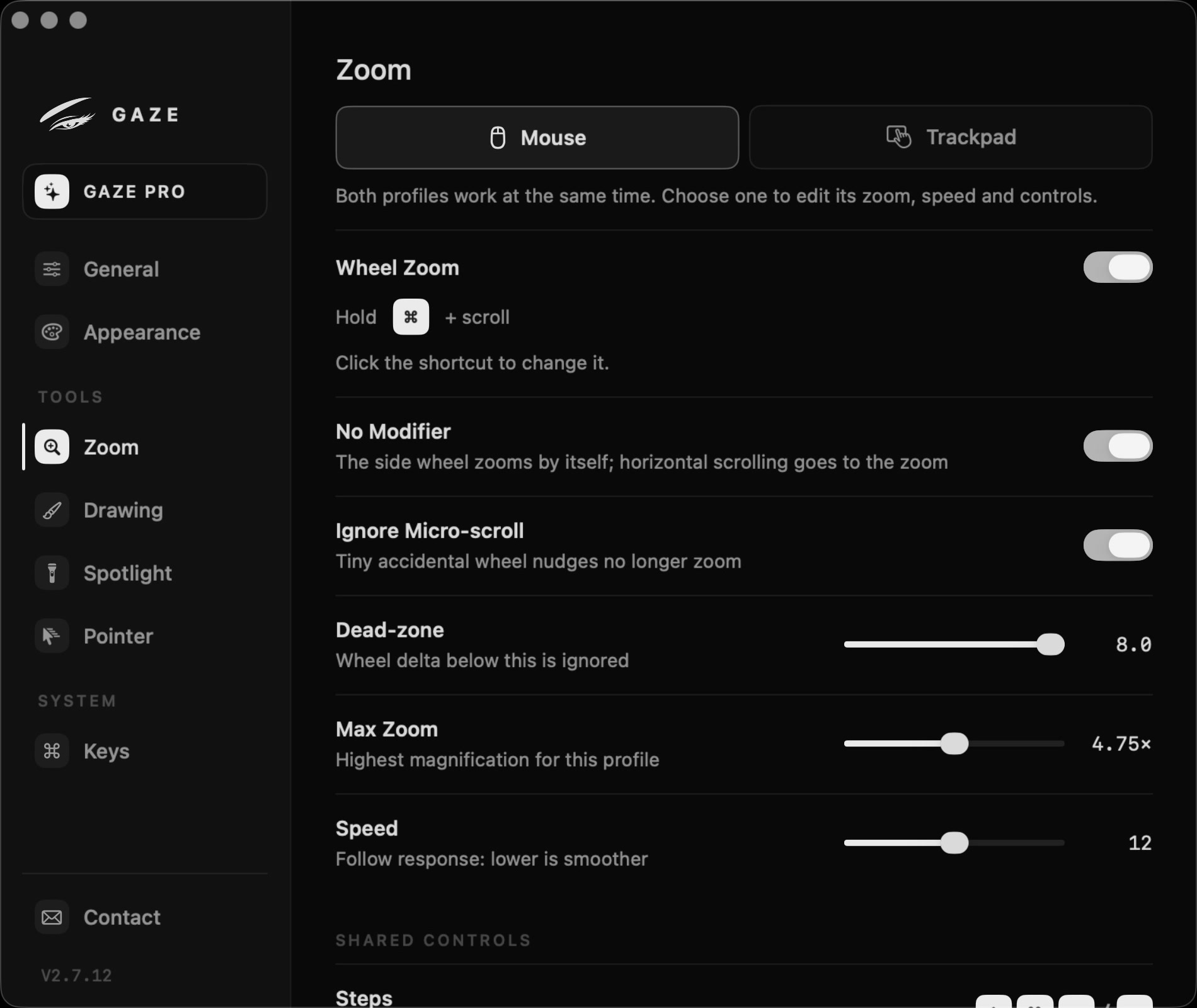
Tune it to your hands.
Magnification, follow speed, the wheel-zoom modifier, fixed steps, hotkeys for everything – Gaze bends to exactly how you zoom and present.
Gaze reads the screen only to magnify it – nothing is recorded, uploaded or sent anywhere.
Gaze does what the system can't.
You've seen every move. Here it all is in one honest table – including where the built-in zoom keeps up.
Pro $19
Pay once. Or don't pay at all.
Most screen tools are a subscription. Gaze Pro is one payment, updates included – or keep the free core for everyday zoom, forever.
Everyday smooth zoom to your cursor. No account, no catch.
- Smooth zoom to your cursor
- Wheel, pinch & hotkeys
- Cursor spotlight – dim around the pointer
- Freeze, draw, pin & export
- Click ripples & cursor styles
Pay once, yours forever – every future update included.
- Everything in Free
- Freeze frame & annotation
- Live ink, marker, shapes & ruler
- Pinned lens & export
- Click ripples, cursor styles & the full Highlight kit
Questions, answered.
Is it safe to install?
Yes. Gaze is notarized by Apple and code-signed – macOS opens it without scary warnings. A tiny native app: no Electron, no background services, and nothing you see on screen ever leaves your Mac.
Why does it ask for permissions?
Two, set once: Screen Recording (to magnify what's on screen) and Accessibility (for global hotkeys and click remapping). Gaze guides you through both on first launch. macOS re-checks the Screen Recording grant every so often and after system updates – that periodic prompt is Apple's privacy safeguard for every capture app, not something Gaze triggers.
Does it capture DRM-protected video?
No – and neither does any screen tool. When you record DRM-protected playback (Netflix, Apple TV+ and the like), macOS itself blanks that region to black for every capture app. Gaze magnifies everything else exactly as you see it – the black frame is Apple's copy protection, not a Gaze bug.
What's actually free?
Smooth zoom to your cursor, all hotkeys and Spotlight dimming – free forever, no account. Click ripples, cursor styles and the full Highlight kit come with Pro.
Is it worth paying for over macOS zoom?
macOS zoom is free, but it's an accessibility tool. If you teach, stream or demo on screen, Gaze pays for itself the first time a viewer actually reads your screen – buttery cursor-follow, freeze-frame annotation, a pinned lens and screencast-ready highlights. One $19 payment, not a subscription. Try every Pro feature free for 14 days before you buy. See the comparison above.
How many Macs does one license cover?
Up to three of your personal Macs at once. Your email is your license – sign in with it in the app to activate. Need a fourth? Deactivate any Mac from inside Gaze to free a slot.
Are updates included in Lifetime?
Yes – every future update is included, forever. Pay once, no recurring charge, no upgrade fees.
Can I get a refund?
Try every Pro feature free for 14 days, with no card or automatic charge. New purchases do not include change-of-mind refunds. Refunds remain available for duplicate payments, qualifying technical problems and cases required by law. See our Refund Policy for details, including earlier purchases.
Does it work offline?
Activation needs the internet just once – to sign in with your email and confirm the device. After that Gaze is verified on-device and runs completely offline, no connection required.
More on zooming, magnifying and annotating a Mac screen – including the built-in ways that cost nothing – in the Gaze guides.
One payment. Every update. Forever.
Install in a minute, zoom on your very next call. Try every Pro feature free for 14 days, with no card or automatic charge. When the trial ends, keep the free core or buy Pro.
macOS 14+ · Apple Silicon & Intel · Native · Notarized